
DNS-over-HTTPS encrypts the question 'what IP is this name' on its way to a resolver. A VPN encrypts a hop from your device to a server you picked, and if the client is doing its job, the question rides inside that hop. People mash them because both use the word encrypt and both get filed under privacy in a browser menu. They are two envelopes. DoH is a letter in a locked bag to a DNS company. A VPN is a truck to a node you chose. The truck can carry the letter. The locked bag does not hide the house you later walk into.
A VPN is still that truck. Wikipedia's VPN page is the noun. RFC 8446 is TLS 1.3 on the website. HTTPS can hide page bodies and still leave DNS visible if names never entered another wrap. Cloudflare documents DNS over HTTPS as a resolver feature. That page is a follow link, not a Klox SKU. We do not ship a public DoH picker. We do not sell custom DNS. Klox routes DNS through the tunnel. That is a different sentence from 'pick 1.1.1.1 in Firefox.'
This is not What DNS Does on a VPN (Plain English). That URL is the resolver hop when Connect is up: ISP DNS versus tunnel DNS. This page is DoH versus that hop, two envelopes. This is not DNS Leak: Why It Matters and How to Test. That piece is why leaks matter and how people test. I will point. I will not clone the procedure. This is not Linux ad_blockers: Not a VPN Setting. Tunnel DNS is not a blocklist. This is not VPN vs HTTPS in Plain English: Two Locks, Two Hops. Two locks. DoH is a third object: encrypted DNS, not a padlock and not a tunnel.
KloxVPN is WireGuard, OpenVPN, OpenConnect, and Shadowsocks, five devices, yearly from $2.83 a month, 7-day money-back on first purchase. Features lists all DNS through the VPN tunnel, IPv6 leak protection, WebRTC leak blocking. Smart Connect, if the app shows the row, is untrusted Wi-Fi. None of that is a DoH dropdown. Download is the apps. Pricing is the live number. Cookies: /cookie.
I have a bias. Let the VPN own names while you are connected. Use browser DoH when you are off a VPN and you do not want the cafe to read clear DNS. Do not stack them as vitamins. Do not treat DoH as a VPN. Do not treat a VPN as a public resolver you picked.
Related reading: White-Label VPN and Custom DNS Copy and Linux skip_notify_on_dev_down: Not a VPN Setting. Sldt: Not a Mitigation Toggle and Linux slow_start: Not a VPN Setting. What is a VPN? and VPN kill switch.
Looking for a reliable VPN?
KloxVPN — from $2.83/month. Apps for every device.
Two different envelopes
Clear DNS is a postcard. Anyone on the path can read the name you asked for. DoH puts that postcard in HTTPS to a resolver. The cafe that was going to sniff port 53 sees a TLS session to a DNS host instead. The resolver still sees the names. That is the trade. You moved the reader from the coffee shop to whoever runs the DoH endpoint.
A VPN puts a lot of postcards, including DNS if routed through the tunnel, in a truck. The cafe sees a blob to a VPN server. The VPN operator's resolver sees the names. The ISP does not get the shopping list. Destination IPs of the websites you later open also sit inside the truck, from the cafe's chair. That second fact is why DoH is not a VPN. DoH encrypts the question. It does not hide the later TCP or QUIC session to the site's address. The cafe can still see you spoke to that IP. Often it can still see SNI. Encrypted Client Hello is uneven. Do not claim the shop sees nothing because Firefox has a DoH toggle.
Farms will rank 'DoH vs VPN winner' until the cookie dies. There is no winner. There are two envelopes. You can use DoH off-VPN to stop clear DNS on a LAN. You can use a VPN to move the hop. You can use both and fight yourself. Crown neither.
Klox's envelope is the truck. WireGuard first. OpenVPN when the AP is rude. DNS through the tunnel is the documented default. I will not invent a consumer UI where you type a DoH URL. If a white-label brand wanted custom DNS copy, that is a different article and a different chair. You are a consumer. There is no custom DNS SKU in this sentence.

- 1Skim the seating / order diagram.
- 2Do the numbered steps once on your real network.
- 3Use the FAQ if a sentence was too long.
- 4Follow one related article — not ten tabs.
How to read this page
| Envelope | Hides from cafe | Still shows | Who sees the names |
|---|---|---|---|
| Clear DNS, no VPN | Nothing about names | Names, IPs, often SNI | ISP, cafe, whoever sits on the path |
| DoH, no VPN | The DNS question in the clear | Destination IPs of HTTPS, often SNI | The DoH resolver you picked |
| VPN, tunnel DNS (Klox) | Names and inner IPs as a blob to the node | That you used the AP, volume, a VPN IP | The VPN resolver, not the ISP as a shopping list |
| DoH stacked on VPN | Depends who wins | A mess if the stub still talks off-tunnel | Whoever actually answered |
| Cookie on klox.app | Unrelated | Unrelated | See /cookie; neither envelope is a CMP |
DoH encrypts the question. A VPN encrypts the hop. Destination IPs of HTTPS still show if you only bought the question.
— KloxVPN consumer notes
Cloudflare Learning: What is a VPN?
A locked bag is not a truck
DoH is HTTPS to a resolver. A VPN is a tunnel to a node. One can ride inside the other. They are not substitutes. If a farm said DoH replaces a VPN, they sold a toggle.
What this post is not
Not the resolver-hop essay. Not a leak-test how-to. Not an ad-block mash. Not two locks. This URL is two envelopes until you can say which leftover you meant.
What DoH hides
DoH hides clear DNS from the local path. The cafe that used to see 'bank.example' on port 53 sees a TLS session to a DoH host instead. On a network that logs classic DNS, that is a real change. On a network that already could not read port 53 because you were on a phone that used DoT or DoH by default, you may already have this envelope without naming it. Android Private DNS is a cousin. This page stays on DoH as the browser and public-resolver story people actually search.
DoH also hides the shopping list from an ISP that was only watching UDP 53. The ISP can still see you spoke to the DoH host. They can still see you later spoke to website IPs. They often still see SNI. The win is narrower than the marketing. Narrow can still be worth it when you are off a VPN and the leftover you care about is clear names.
The resolver you picked still gets every question. Cloudflare, Google, your browser vendor's default, a 'privacy' resolver a blog ranked: that machine is the new reader. Famous is not the same as 'nobody has the list.' You moved the list. Say that. If you are fine with that reader, DoH did the job it actually has. If you wanted nobody to have the list, you wanted a different threat model, maybe not a consumer DNS feature at all.
I will not rank resolvers. NordVPN's DoH post is a specimen of the genre. Use it as a specimen. Do not import their picker into Klox. We are not a public DoH app. We are a tunnel that already owns names while connected.
Clear port 53 is the thing DoH kills
That is the win. Celebrate it at that size. Then look at IPs. Then decide whether you still wanted a truck.
The resolver still has a list
Encrypting the path to a DNS company does not delete the log at that company. Read their policy if that chair matters. Do not file it under VPN.
What DoH still shows
Destination IPs of HTTPS. You asked DoH for a name. You got a number. You connected to the number. That connection is not DNS. TLS wraps the page. RFC 8446. The cafe can still see the number. Often the name in SNI during start. Encrypted Client Hello tries to quiet the name and is uneven. The number remains either way. A VPN hides that number from the cafe by making the interesting hop the VPN server. DoH does not.
Volume remains. Timing remains. A fat stream to a known CDN IP is a fat stream. DoH does not camouflage it. The DoH session itself is another IP the cafe sees: you talked to a resolver host. That is a smaller map than a shopping list of every site, and a larger map than 'I used a VPN node.' Pick the map you actually wanted.
QUIC and HTTP/3 do not change this leftover. The cafe still sees a session to an IP. Encrypted transport to the site is still a session to the site. DoH already finished before that session started. If you wanted the cafe to see a VPN node instead, you needed the truck before the first connect, not a DNS toggle after the tab loaded. Background apps will not wait for you to feel ready. DoH does not close that window. Connect does.
WebRTC can still volunteer an address. IPv6 can still sneak. Those leftovers are not DoH's job. Features lists protections for a connected Klox session. Quote them for Connect. Do not quote them for a Firefox DoH checkbox. The checkbox never claimed the NIC.
Cookies in the browser still exist after DoH and after HTTPS. Our /cookie page is this website. Gmail's cookies are Google's. Neither envelope eats them. If you wanted tracking reduced, that is a different drawer. Tunnel DNS is not an ad blocker. The ad-block article already said so. I will not mash DoH into uBlock either.
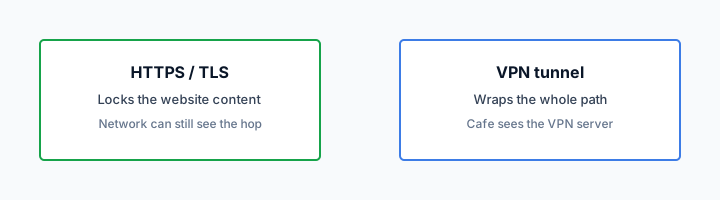
The IP is the leftover DoH cannot eat
Names in DNS can be wrapped. The later connect is still a connect. Cafe Wi-Fi still sees that connect unless a tunnel ate the hop.
SNI is a sibling leftover
DoH does not encrypt ClientHello. SNI can still leak on the clear path. The SNI essay owns that name. Here: DoH is not a handshake wrap.
What the tunnel hides
With Klox connected, the cafe's interesting packet is a blob to a VPN node. Inner website IPs sit behind that blob. DNS questions, if they ride the tunnel, sit behind that blob. That is the hop job. It is bigger than DoH. It costs a seat, a handshake, sometimes a rude AP that hates UDP. WireGuard first. OpenVPN when that AP is rude. Same DNS story on both protocols if the client is still routing names through the tunnel.
The VPN resolver sees the names. We are a hop operator. On HTTPS sites, we are not the website. Inner TLS still ends at the site. RFC 8446 still applies. People ask whether the VPN can read Gmail. On a normal HTTPS site, the inner lock still faces Gmail. The resolver still saw the name gmail was requested. That is a shopping list at our resolver, not an inbox. If that still bothers you, you wanted a different threat model.
Five devices: phone plus laptop is two seats if both tunnels are up. DoH in one browser on one gadget does not cover the other gadget. Per device. A tunneled phone does not hide the laptop's clear DNS. Count.
Smart Connect, if the row exists, starts the truck on untrusted Wi-Fi. It does not enable DoH. If the row is missing, you have a Connect button. Use the button. I will not invent a DNS mode so this article matches a competitor's 'Secure DNS' screenshot.
Bigger envelope, real cost
A tunnel hides IPs from the cafe. DoH does not. The tunnel also needs a handshake, a seat, and a portal sequence. Pay that cost when the leftover is the hop, not only the question.
Tunnel DNS is not a picker
Klox routes DNS through the tunnel. That is the default I want. It is not a list of public DoH hosts you tap. Do not open a ticket asking which DoH URL to paste. There is not one in this SKU.
Stacking DoH on a VPN
Browser DoH plus tunnel DNS is how people get a leak they cannot draw. The stub might still ask the browser's DoH host off-tunnel. Or the browser might DoH inside the tunnel to a third party, so the cafe sees a blob but a public resolver still gets the list and your VPN exit IP. Or the OS might ignore both and use the cafe's DHCP DNS. Three owners. One green toggle. A leak-test page that disagrees with your feelings.
My rule: while Klox is up, let Klox own names. Turn off browser 'Use DNS over HTTPS' experiments unless you have measured that they stay inside the tunnel and you like that third-party reader. Most people should not measure. Most people should leave the default. The resolver-hop article already said stop collecting resolvers like vitamins. This page repeats it because DoH is how vitamins get installed.
If you are off the VPN, DoH in the browser can be a reasonable cafe habit for the question leftover. It still will not hide IPs. If that leftover still bothers you, Connect. Do not 'fix' a VPN by adding DoH on top without a test. Fix a leak with the leak articles, then stop.
Split tunnel, if you ever punch a hole, makes this worse. Excepted apps may use system DNS. System DNS may be cafe DHCP. Browser DoH may only wrap that browser. The hole is a scheduled leak. The DoH checkbox will not patch the hole. The split-tunnel English lives elsewhere. Here: do not stack three leftovers and call it defense in depth.
One owner while connected
Klox owns names on a connected session. Browser DoH is another owner. Two owners is how tickets start with 'but DNS is encrypted' and end with an ISP resolver on the leak page.
Off-VPN DoH is a different day
No tunnel, cafe Wi-Fi, you only wanted to hide clear DNS: DoH can do that job. It still shows IPs. Know the size of the win before you skip Connect.
Browser DoH versus system DNS
Firefox, Chrome, and Edge can send DoH from the browser process. That wraps questions those browsers ask. It does not wrap Mail.exe, Slack, the OS updater, another browser, or a phone app. The Chrome-extension honesty article taught browser-only for a proxy. DoH in the browser is browser-only for DNS. Same discipline. Name the leftover.
Operating systems also grow encrypted DNS: Private DNS on Android, encrypted DNS in some Windows and macOS builds. Those are system-shaped. They can help when you are off a VPN. They can fight a VPN when they pin a resolver that is not the tunnel. I will not write a matrix of every OS version. Confirm on your glass. If a leak test shows a public resolver while Klox is up, look at those OS toggles before you blame WireGuard.
iOS is its own pile: iCloud Private Relay encrypts DNS for a Safari-shaped slice. That is not DoH you picked, and it is not Klox. The Relay article owns that leftover. Do not mash Relay, browser DoH, and tunnel DNS on one iPhone as a weekend project.
Corporate middleboxes sometimes break DoH on purpose so they can keep filtering names. Then the browser falls back to clear DNS and you think you have an envelope you do not. A VPN on that same network can fail for a different reason: the AP hates UDP, or the portal is not done. Those are different failures. Switch to OpenVPN if the tunnel is the thing that died. Do not 'fix' a broken DoH fallback by stacking more resolvers. If work owns the network, this essay is background. If a cafe filter broke DoH, Connect is the hop that still works after the splash.
Five devices do not share a DoH checkbox. The laptop's Firefox setting is not the phone. You will 'fix DNS' on the Mac and then leak on the Pixel. Per device. Download the real client from /download so you are not configuring a cousin app's Secure DNS screen from memory.
Browser DoH is browser-only DNS
Slack still asks someone. Mail still asks someone. If those someones are cafe DHCP, you hid names in one window and donated them in another. The system app is how you wrap the NIC.
OS encrypted DNS can pin a fight
A Private DNS host that is not the tunnel is a leak with a padlock on the question. Pause it while Klox is up if the leak page says so. Then test once.
Leak test, once
If you want proof the resolver hop moved, use DNS Leak: Why It Matters and How to Test and the Leak Test After You Connect a VPN. This page will not become those procedures. DoH vs VPN is the English. A leak site that still shows your ISP while the UI says connected is the failure mode. A leak site that shows a public DoH host while you wanted tunnel DNS is the stacking mode. A leak site that shows the VPN is the hop you paid for.
Do it once on a network you control. Then stop. Daily labs are how people forget to live. If a test fails, look at browser DoH, OS encrypted DNS, IPv6, WebRTC, an excepted app. Fix one leftover. Test once more. Then drink the coffee.
DoH will not show up as 'VPN' on a leak site. It should not. It is not a VPN. If the site shows Cloudflare or Google as DNS and your real IP as the web IP, you bought the question envelope only. That is consistent. It is also why DoH is not a cafe cape. If you wanted the web IP to move, Connect.
Yearly from $2.83 a month is not a resolver ranking. Seven days on first purchase if the apps will not own DNS and you are inside the clock. /refund. Store purchases follow the store. This page will not turn into a billing sermon. It will also not turn into a custom-DNS roadmap. Absence of a picker is the product.
Public DoH on a leak page is a clue
If you wanted Klox DNS and you see 1.1.1.1, something else is answering. Browser or OS. Not a reason to add more DoH. A reason to turn one owner off.
Real IP plus encrypted DNS is DoH-sized
That result means the question is wrapped and the hop is not. Honest. Small. If you wanted the hop, you wanted the truck. Download the apps.
Klox as a hop, not a picker
Klox is the truck: WireGuard, OpenVPN, OpenConnect, and Shadowsocks, five devices, yearly from $2.83 a month, 7-day first-purchase money-back. DNS through the tunnel. IPv6 and WebRTC called out on Features. Download from /download. Do not sideload a random APK because a listicle hosted one. Do not paste a DoH URL into an adapter because a farm said it was faster. Faster DNS to a public host can be a leak you scheduled.
We are not 1.1.1.1. We are not a recursive-resolver brand. Cloudflare's DoH docs are a follow link so you can see the other envelope in someone else's words. Wikipedia's VPN page is the noun for ours. RFC 8446 is still the page lock. Three documents. Three jobs. Keep them in separate drawers.
Smart Connect, if the app shows the row, is untrusted Wi-Fi. It starts the hop that hides IPs and names from the cafe. It does not open a DoH settings panel. If the row is missing, Connect yourself. Phone plus laptop is two of five. Count before a cafe, not after an error.
If you only needed the English, stop here. If you needed the resolver hop as a full essay, DNS on a VPN is next door. If you needed a test, the leak articles exist. If you needed ads, that mash is elsewhere. If you needed two locks, that essay exists. If you needed a cape, you wanted a farm. If you needed a hop that already carries DNS, you wanted Klox. Practice once on a guest SSID. Then use it.
No custom DNS SKU
No picker. No 'choose your DoH provider' in this article. Tunnel DNS is the consumer default. If a brand operator wanted different copy, that is white-label. You are not that chair.
Download, then look at DNS once
Install. Connect. Run one leak test. Confirm the resolver is the tunnel, not the cafe and not a public DoH host you forgot. Then stop collecting envelopes.
Key Takeaways
DoH encrypts DNS to a resolver. A VPN encrypts the hop, including DNS if it rides the tunnel. DoH does not hide destination IPs of HTTPS. The cafe can still see those numbers, and often SNI. Encrypted Client Hello is uneven. Do not claim the shop sees nothing because a browser has a DNS toggle.
Klox routes DNS through the tunnel. That is not a public DoH picker. WireGuard, OpenVPN, OpenConnect, and Shadowsocks, five devices, yearly from $2.83 a month, seven-day first purchase. No custom DNS SKU. Cookies on this site live at /cookie.
If you wanted the resolver-hop essay, that URL is next door. If you wanted a leak procedure, those checklists exist. If you wanted a winner, you wanted a farm. If you wanted one owner for names while connected, download the apps and leave the DoH experiments off until you can draw the leftover.
Related Resources
The hop already carries DNS
KloxVPN is WireGuard, OpenVPN, OpenConnect, and Shadowsocks, five devices, yearly from $2.83 a month, 7-day first-purchase money-back. DoH wraps the question. A tunnel wraps the hop. Download the apps if you want names and destination IPs off the cafe path. No custom DNS picker.
Download KloxVPNFrequently Asked Questions
KloxVPN Team
Experts in VPN infrastructure, network security, and online privacy. The KloxVPN team has been building and operating VPN services since 2019, providing consumer and white-label VPN solutions to thousands of users worldwide.